How the Australian Tax Changes Will Affect Your 'Take Home' Pay
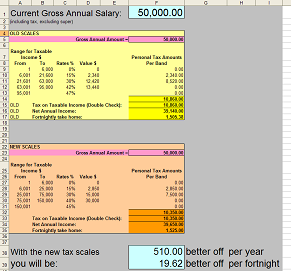
'Farmer Jeb' on Wed, 10 May 2006 01:03:14 GMT, sez: Being a massive nerd, I updated my own Excel VBA function for this with the new rates last night, extrapolating them from an Internet news article on my wireless laptop as I watched Survivor on TV. Not only did this cause me to realise that the rates I had been using were actually TWO years old but today I see that I got a different answer to Advantech's spreadsheet. Oops! I'll have to what's that word they use... test... my code.
'Andrew' on Wed, 10 May 2006 09:51:42 GMT, sez: The low income tax offset has been left out...contractors know all about this one ;-)
I can also attest to being a massive nerd with my own excel function, but tonight i copied the worksheet into a new workbook and deleted the original, and have discovered the new one just has the values - not the formulas !!!! aaaaaggghhhhhhhhhhh! I will now be using the secretgeek supplied version.
'Boxy' on Tue, 30 May 2006 22:20:10 GMT, sez: Love it! .. except I wondered why the "Old take home" amount didn't line up with what I currently get in the hand. Before I went and had a chat to HR I checked the ATO site(http://www.ato.gov.au/scripts/taxcalc/calc_standard_hire.asp)
It all came down to the 1.5% Medicare levy
(http://www.ato.gov.au/individuals/content.asp?doc=/content/17482.htm) .. so I added in an extra line an volia excel now matches.
Thanks SecretGeek!
'lb' on Tue, 30 May 2006 22:32:29 GMT, sez: cheers boxy
yeh we've had complaints about the missing medicare levy information. and there's something else missing... the low income tax breaks or something....
i should state somewhere "i am not qualified, nor competent, at giving financial advice. individual results may vary, etc."
you do realise that when you use that spreadsheet it calls a webservice and tells me your income, windows login credentials and a copy of any cookies stored on your pc?
of course you do.
lb
|